SSH / SFTP CLIENT · FOR PEOPLE WHO WORK WITH SERVERS
Your servers.
Your space.
Terminal, files and connections. Together in one place, with your credentials encrypted on your computer.
PRE-ALPHA · IN DEVELOPMENTIn development for macOS, Windows and Linux
No APDSoftware account
You don’t need an APDSoftware account to use the app.
Vault on your device
The vault works on your device, without an APDSoftware cloud service.
No telemetry to APDSoftware
This version does not send telemetry or automatic error reports to APDSoftware.
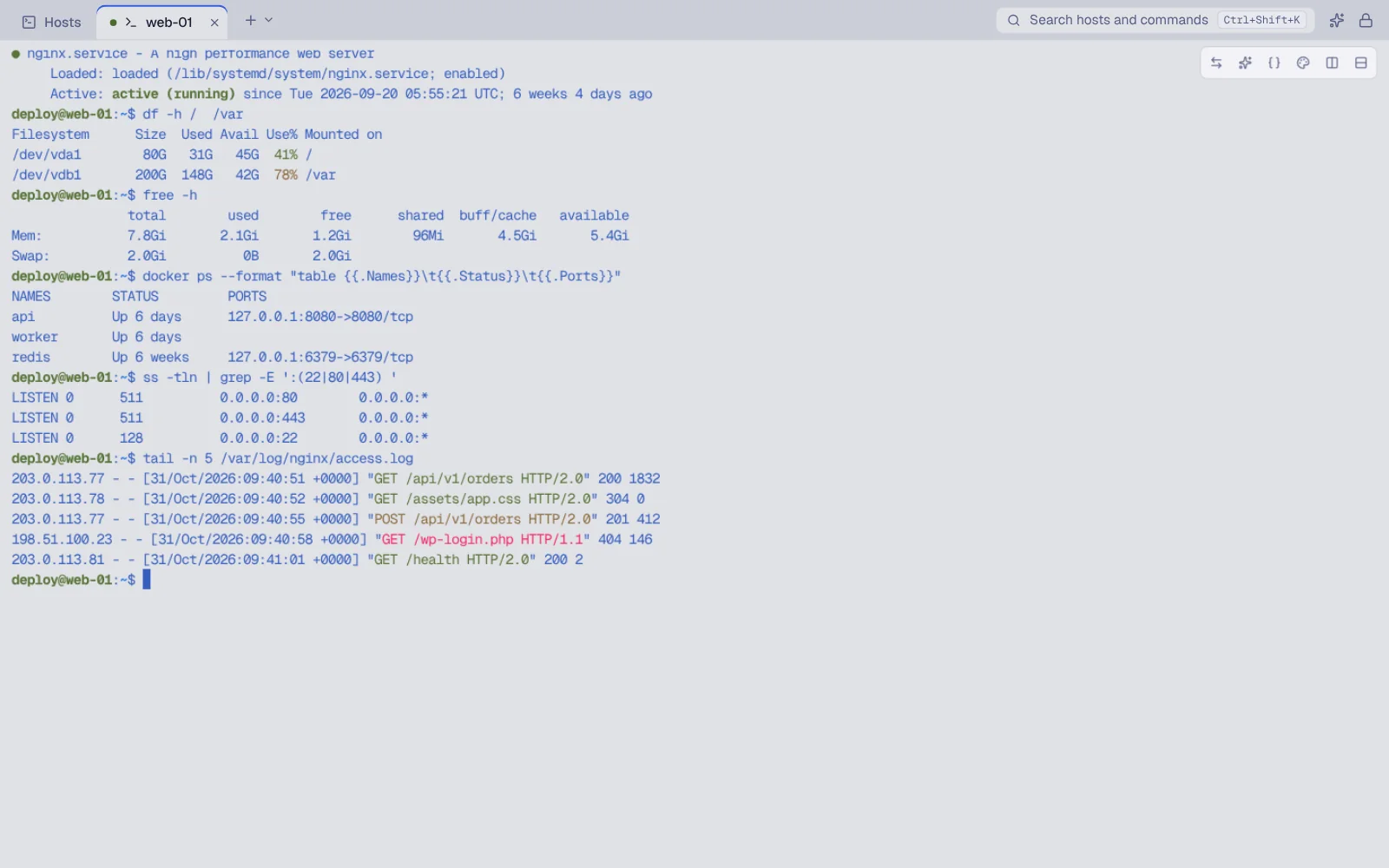
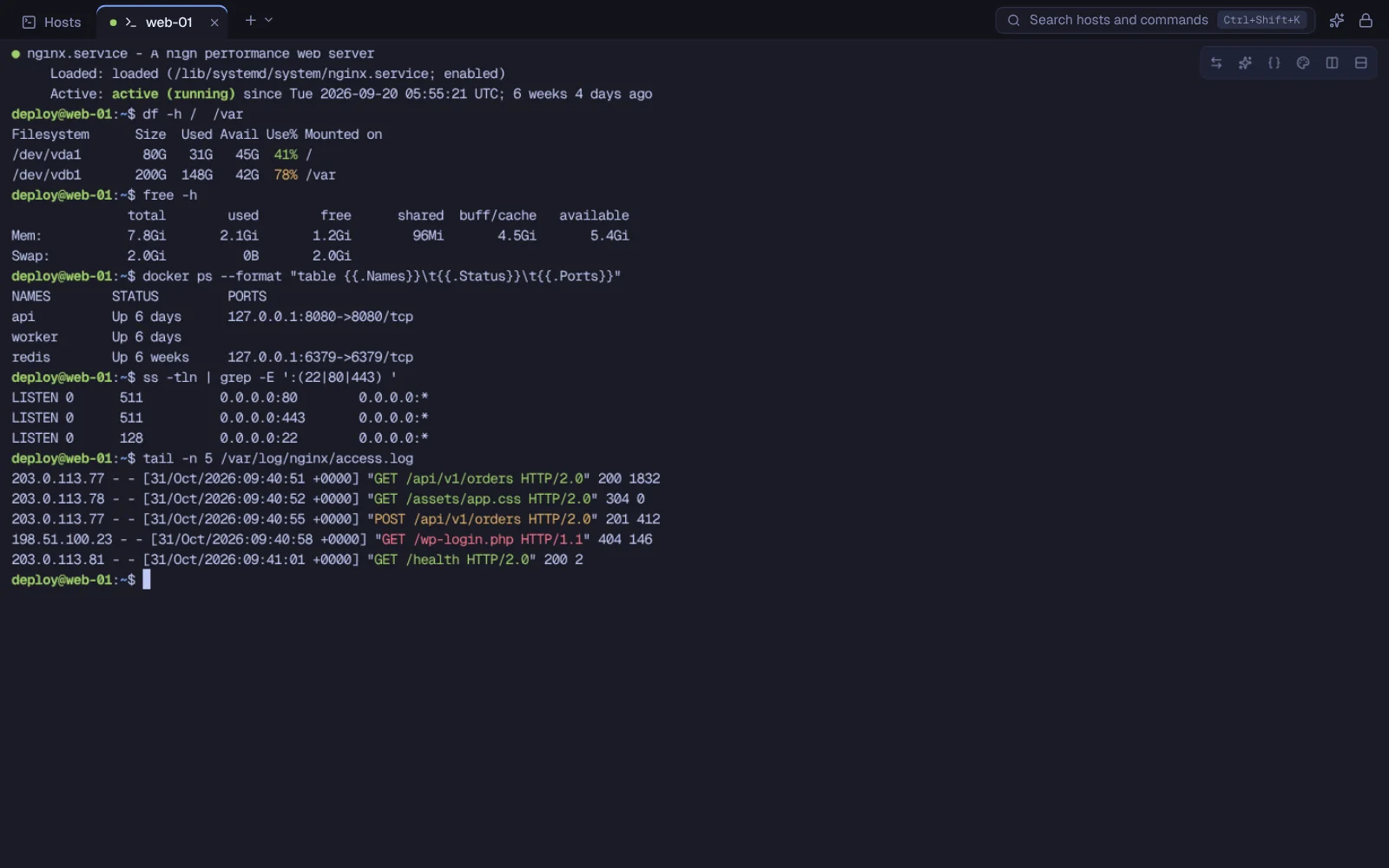
01 / WORK WITHOUT SWITCHING CONTEXT
From the first command
to the last file.
The session you opened, the file you need to move, the service you want to reach. Start with your host and keep working.
SSH terminal
Tabbed sessions and side-by-side panes. Tell environments apart and keep track of where you are working.
SFTP files
Two panes for local and remote files, with a queue, pause, resume and conflict handling.
Tunnels
Local, remote and SOCKS5 forwarding. See which tunnels are active and stop them when you are done.
Snippets
Reusable commands with fields to fill in and a preview before insertion.
Serial
A console for routers, switches and devices, with port profiles and connection settings.
Local AI
Connect a model server on your computer. Read its suggestion, then decide whether to run it.
02 / YOUR DATA STAYS ON YOUR SIDE
Connected to servers.
Grounded on your computer.
ShellEasy requires neither an account nor a cloud service. Hosts, identities and credentials are stored in an encrypted database on your device.
01 / YOUR DATA STAYS HERE
An encrypted vault
on your computer.
No account required.
02 / THE WORK HAPPENS HERE
The connection reaches
the server you choose.
What the vault protects
The vault database is encrypted on the device. Downloaded files, the clipboard and other data outside the vault follow the protections of the system.
Encrypted database
Host names, folders and workspace metadata are encrypted too.
Another layer for secrets
Passwords and keys have an additional, dedicated layer of encryption.
Transfer on your terms
Export an encrypted .shelleasy file and import it on another computer. This is not automatic sync.
Protection has clear boundaries.
A compromised computer or an open session requires other protections. Your Master Password cannot be recovered. The threat model explains these limits too.
Read about protections and limits →AI, only if you want it.
Off by default. Connect Ollama, LM Studio or llama.cpp, review the text before sending it and insert a command without running it automatically. Secret detection is not infallible. Testing with real model servers is still pending.
03 / WHERE WE ARE
Build it carefully.
Then release it.
ShellEasy is in pre-alpha. Features are being developed and verified; there are no signed public builds to download yet.
01
Today
Developing and verifying the core workflows.
02
Before release
Signed builds, native testing and checks with a local AI server.
03
When it is ready
Availability and instructions will be published here.
The pre-alpha version is free. No release date has been announced. Follow development
Before you open a session.
Do I need an account?
No. Hosts and identities are managed on your computer without a ShellEasy account.
Does it work without Internet access?
You can use the local shell and manage data locally. Reaching a server requires a network connection; a server on your local network does not require Internet access.
How do I move data to another computer?
Export an encrypted .shelleasy file and import it on the other device. This is a manual step, with no continuous cloud sync.
Are my commands sent to AI?
Only if you enable the assistant and approve sending the text. The server is local by default; using a non-local server requires explicit confirmation. Suggested commands never run on their own.
Can I download ShellEasy now?
Not yet. The project is in pre-alpha; a public release needs further checks and signed builds.
The link is remote.
The control point is yours.
Notify me at launch
One email when the first public version of ShellEasy is available. The notification service will be active before release: for now we do not collect any address.
PRE-ALPHA · IN DEVELOPMENTmacOS · Windows · Linux
See the project status →